Connect in 30 seconds. Use it like any other HubSpot channel.
Connect
Open HubSpot Inbox settings and click Connect MomentumChat. Scan the QR code with your phone, the same way you'd open WhatsApp Web. No API keys, no business account.
Receive
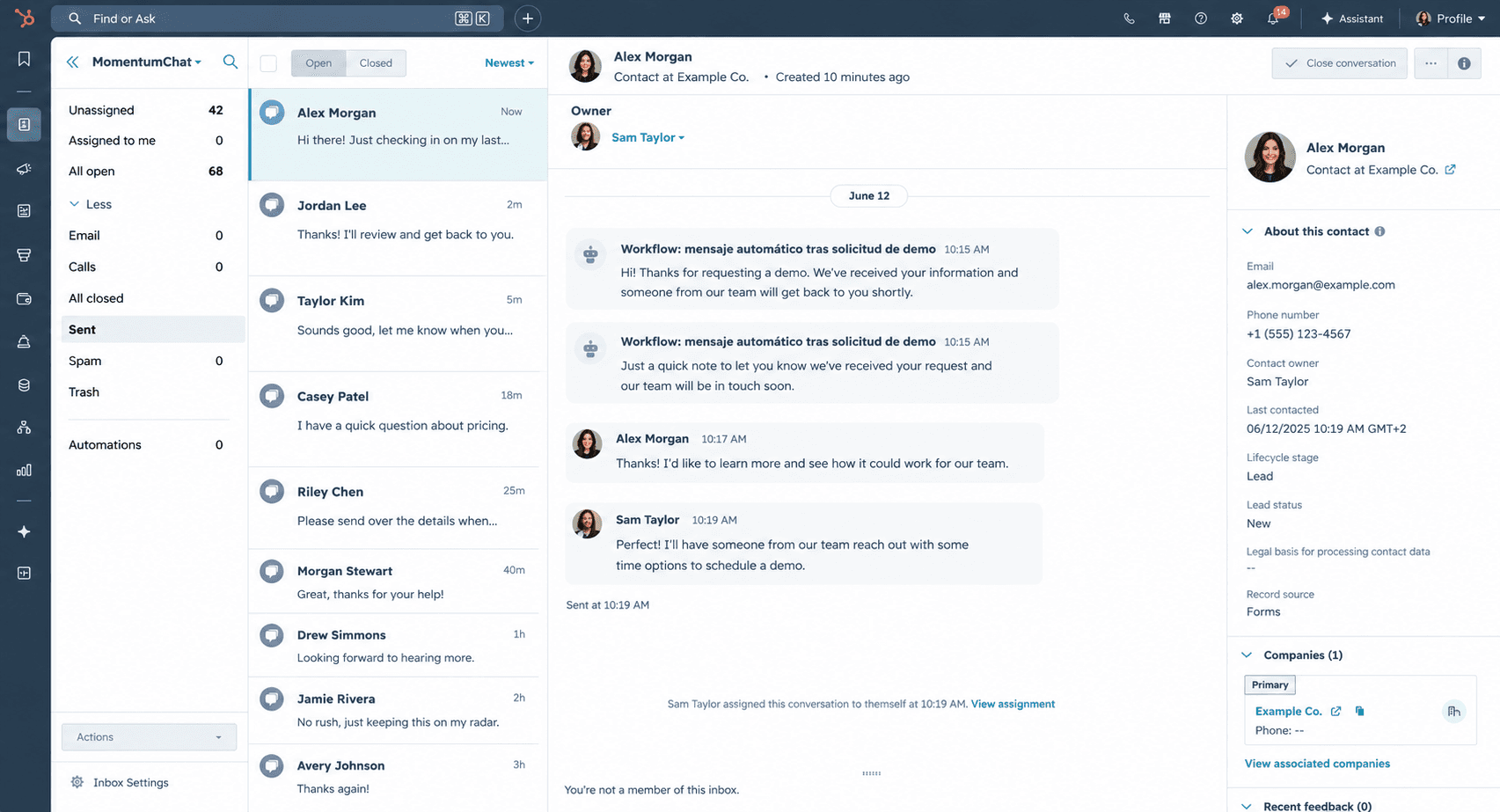
Every message flows into your HubSpot inbox. Incoming conversations match to existing contacts automatically. New contacts are created when there's no match.
Automate
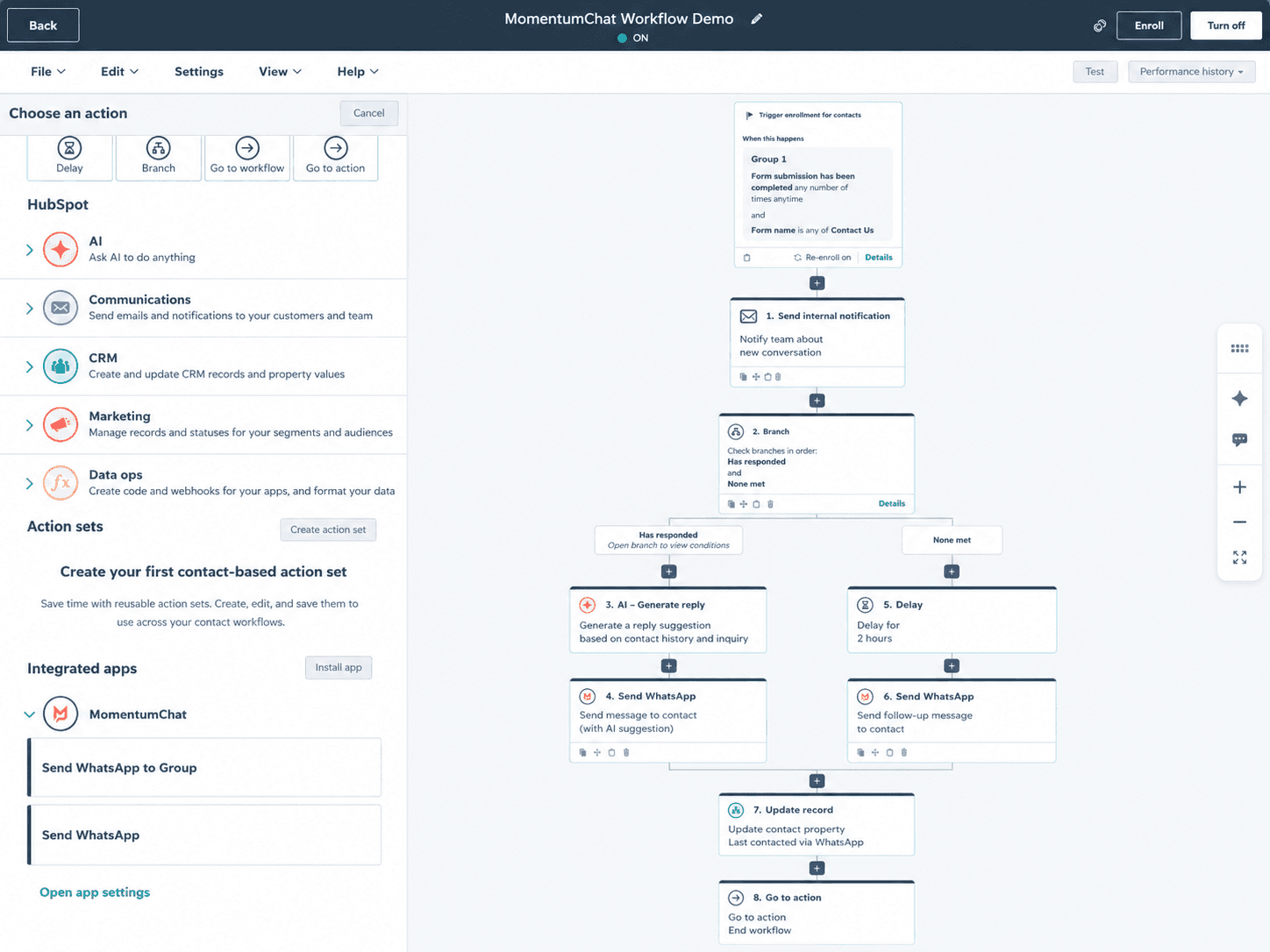
Add MomentumChat actions to any HubSpot workflow. Send WhatsApp messages when leads fill forms, deals change stages, or tickets are created.
A proper HubSpot channel, not a workaround.
MomentumChat uses HubSpot's standard conversation and communication objects. Every feature that works for email or live chat works for WhatsApp.
Native inbox
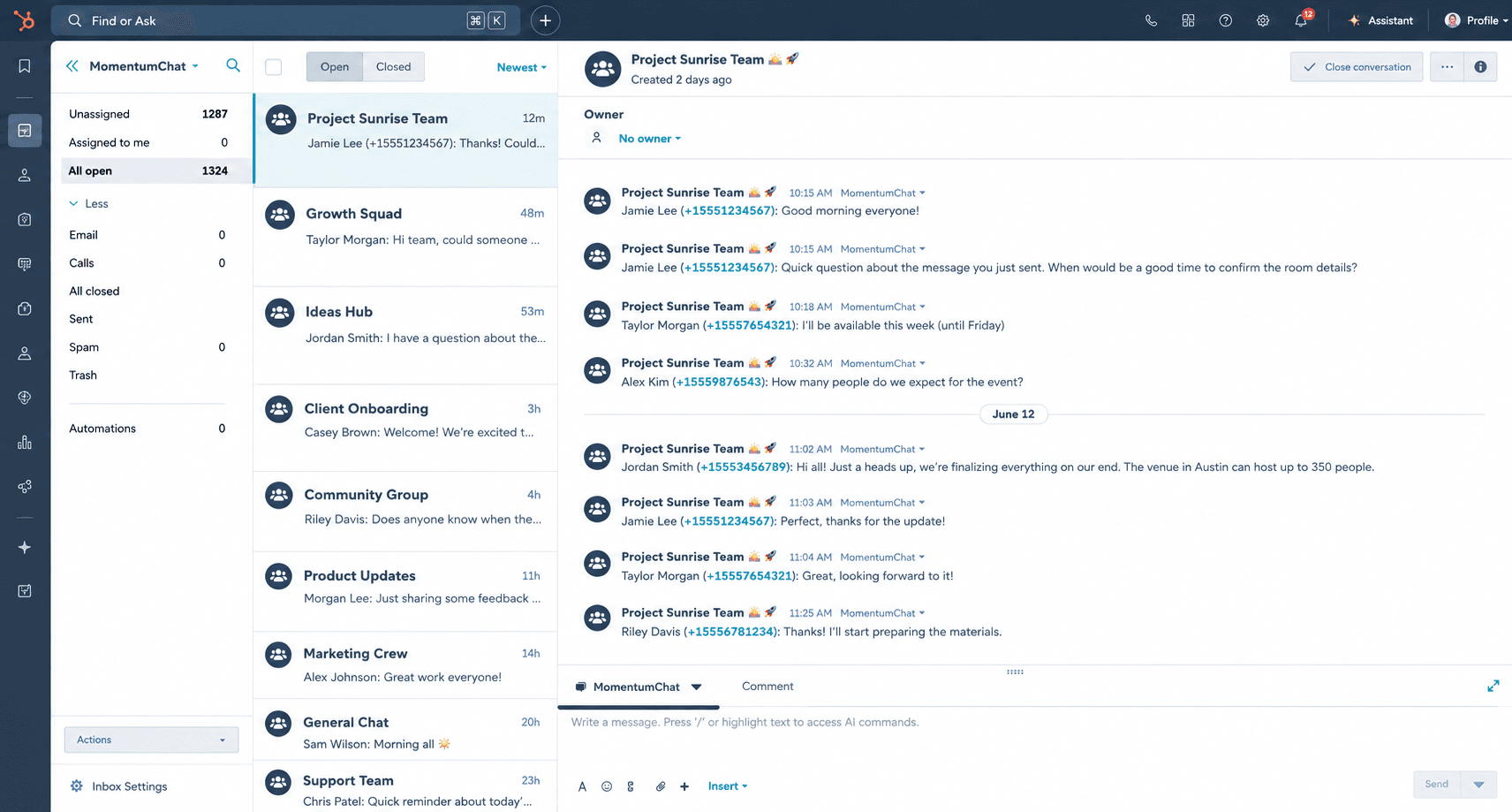
Not a sidebar, not a Chrome extension. A channel in your HubSpot inbox, same as email or live chat.
All message types
Text, images, documents, audio messages, stickers, groups. Nothing gets dropped.
HubSpot permissions
Access control through HubSpot's own system. Set who reads, who replies, which teams see which inboxes.
Full reporting
Conversations, response times, message volume: all available in HubSpot reports. Same data model as any native channel.
Breeze AI ready
Connect HubSpot's AI agent to WhatsApp in a few clicks. Conversation history, handoff notes, and resolution data stay in HubSpot.
Personal numbers
No need to migrate to a business account. Personal numbers work. Business numbers work. Both at the same time.
Group conversations
Send to and receive from WhatsApp groups. Manage group threads in the same inbox as one-to-one conversations.
No API limits
No message templates required. No 24-hour windows. No per-message fees. Send what you want, when you want.
Breeze AI
Your HubSpot AI agent, now on WhatsApp.
Breeze AI can handle first-line responses, qualify leads, and escalate to a human when needed. Because MomentumChat uses HubSpot's standard conversation object, connecting the AI to WhatsApp takes about four clicks.
Conversation history, handoff notes, and resolution data all stay in HubSpot. When a rep takes over, they have the full context, not a blank thread.
Get WhatsApp inside HubSpot today.
Takes 30 seconds to connect. No Meta API approval required.